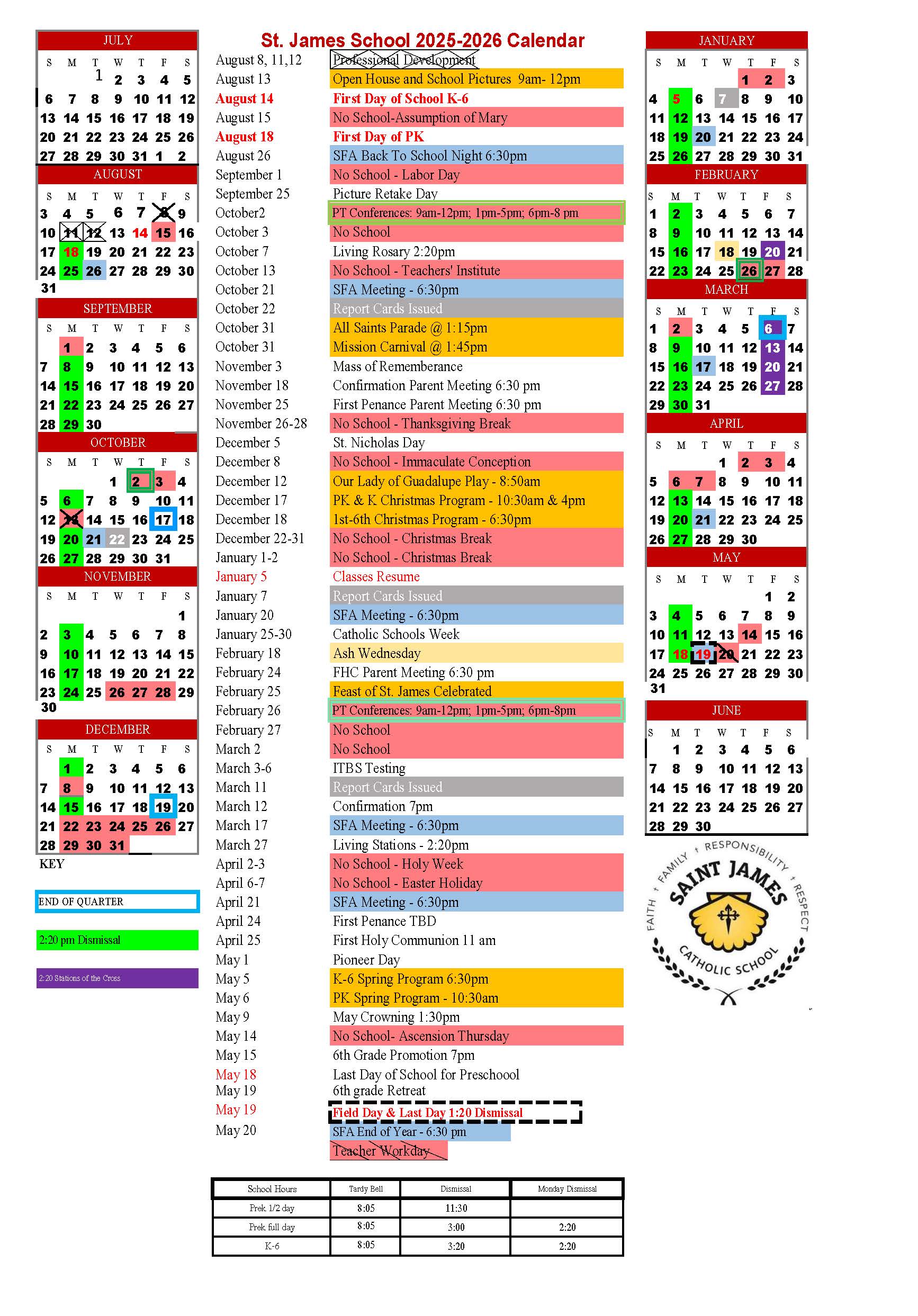
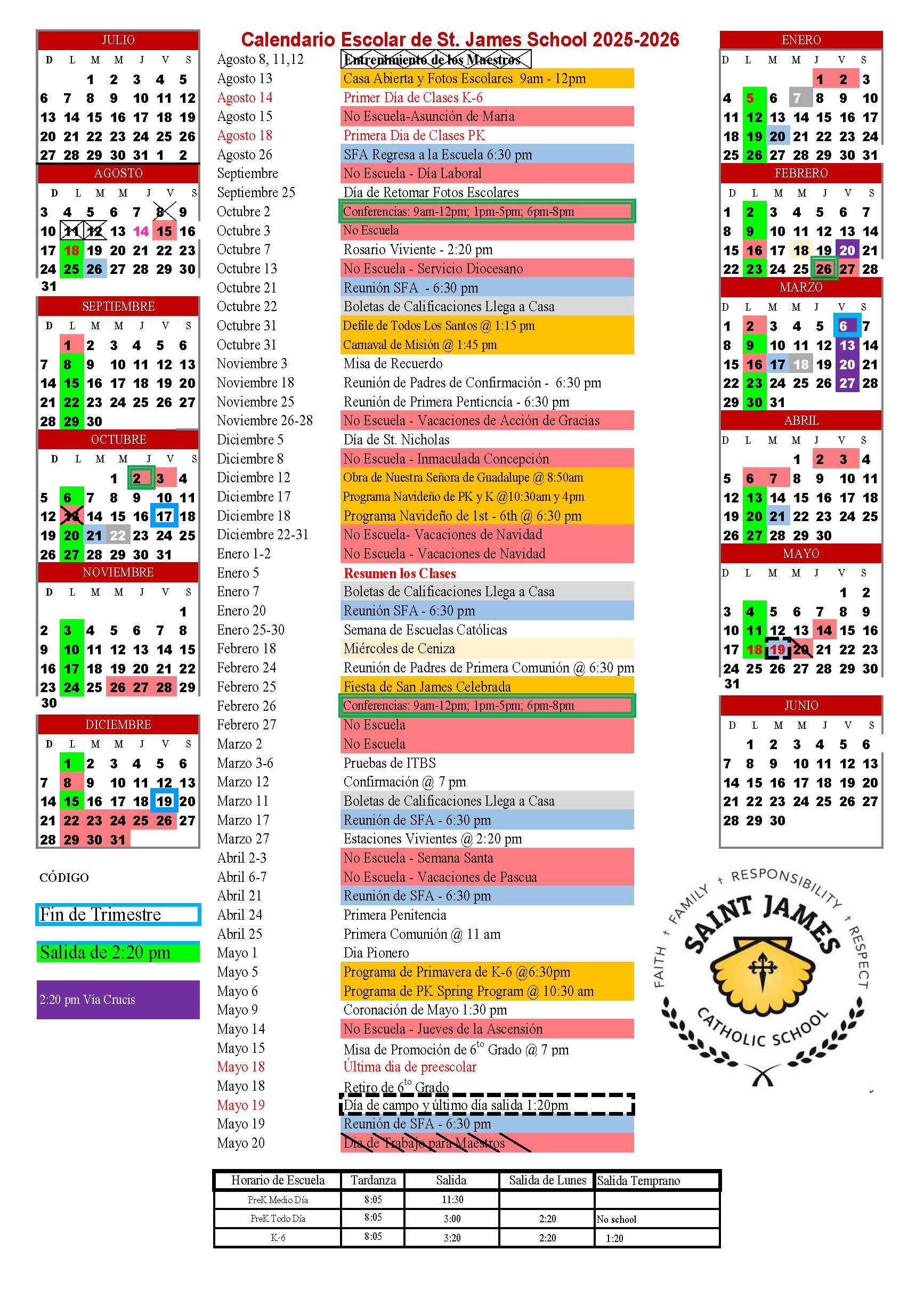
Calendar
Subscribe to This Calendar
This calendar syncs automatically with your device. Follow the instructions below or select your device manually.
iPhone / iPad
Tap the button below. Your device will open the Calendar app and ask if you want to subscribe.
Choose Subscribe → Done.
📅 SubscribeMac (Apple Calendar)
Click the button below. Your Mac will open Apple Calendar.
Choose Subscribe, set auto‑refresh to “Every hour,” then click OK.
📅 SubscribeAndroid
Android cannot subscribe directly from an ICS file. Use a computer to add it to Google Calendar:
- Open Google Calendar on a computer
- Go to Other calendars → Add by URL
- Paste this URL:
https://outlook.office365.com/owa/calendar/37987013d97047d3968d3c2e66d1c815@cdolinc.net/5b5e2ea6c3864f3f888c78e791612ede18356207384581035272/calendar.ics
It will sync to your Android device automatically.
Google Calendar (Web)
Google Calendar requires a subscription URL (not a file):
- Open Google Calendar
- Click Other calendars → Add by URL
- Paste this URL:
https://outlook.office365.com/owa/calendar/37987013d97047d3968d3c2e66d1c815@cdolinc.net/5b5e2ea6c3864f3f888c78e791612ede18356207384581035272/calendar.ics
Then click Add calendar.
Windows / Outlook
Fast method: Download the file, double‑click it, and Outlook will open it.
Best method (automatic updates):
- Open Outlook
- Go to File → Account Settings → Internet Calendars
- Click New
- Paste this URL:
https://outlook.office365.com/owa/calendar/37987013d97047d3968d3c2e66d1c815@cdolinc.net/5b5e2ea6c3864f3f888c78e791612ede18356207384581035272/calendar.ics
Then click Add.
Chromebook
Use Google Calendar in your browser:
- Open Google Calendar
- Click Other calendars → Add by URL
- Paste this URL:
https://outlook.office365.com/owa/calendar/37987013d97047d3968d3c2e66d1c815@cdolinc.net/5b5e2ea6c3864f3f888c78e791612ede18356207384581035272/calendar.ics